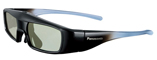
    - Panasonic 2012 Range -
 |
Panasonic TC-P65VT50
|
65" |
1920x1080 |
Active 3D: Plasma |
HDMI 1.4 3D |
Panasonic
active shutter glasses |
|
Panasonic TC-P55VT50
|
55" |
1920x1080 |
Active 3D: Plasma |
HDMI 1.4 3D |
Panasonic
active shutter glasses |
|
Panasonic TC-P65GT50
|
65" |
1920x1080 |
Active 3D: Plasma |
HDMI 1.4 3D |
Panasonic
active shutter glasses |
|
Panasonic TC-P60GT50
|
60" |
1920x1080 |
Active 3D: Plasma |
HDMI 1.4 3D |
Panasonic
active shutter glasses |
|
Panasonic TC-P55GT50
|
55" |
1920x1080 |
Active 3D: Plasma |
HDMI 1.4 3D |
Panasonic
active shutter glasses |
|
Panasonic TC-P50GT50
|
50" |
1920x1080 |
Active 3D: Plasma |
HDMI 1.4 3D |
Panasonic
active shutter glasses |
|
Panasonic TC-P65ST50
|
65" |
1920x1080 |
Active 3D: Plasma |
HDMI 1.4 3D |
Panasonic
active shutter glasses |
|
Panasonic TC-P60ST50
|
60" |
1920x1080 |
Active 3D: Plasma |
HDMI 1.4 3D |
Panasonic
active shutter glasses |
|
Panasonic TC-P55ST50
|
55" |
1920x1080 |
Active 3D: Plasma |
HDMI 1.4 3D |
Panasonic
active shutter glasses |
usa
 |
Panasonic TC-P50ST50
|
50" |
1920x1080 |
Active 3D: Plasma |
HDMI 1.4 3D |
Panasonic
active shutter glasses |
usa
|
Panasonic TC-P60UT50
|
60" |
1920x1080 |
Active 3D: Plasma |
HDMI 1.4 3D |
Panasonic
active shutter glasses |
|
Panasonic TC-P55UT50
|
55" |
1920x1080 |
Active 3D: Plasma |
HDMI 1.4 3D |
Panasonic
active shutter glasses |
|
Panasonic TC-P50UT50
|
50" |
1920x1080 |
Active 3D: Plasma |
HDMI 1.4 3D |
Panasonic
active shutter glasses |
usa
|
Panasonic TC-P42UT50
|
42" |
1920x1080 |
Active 3D: Plasma |
HDMI 1.4 3D |
Panasonic
active shutter glasses |
usa
|
Panasonic TC-P50XT50
|
50" |
1280x720 |
Active 3D: Plasma |
HDMI 1.4 3D |
Panasonic
active shutter glasses |
usa
|
Panasonic TC-P42XT50
|
42" |
1280x720 |
Active 3D: Plasma |
HDMI 1.4 3D |
Panasonic
active shutter glasses |
|
Panasonic TC-L55WT50
|
55" |
1920x1080 |
Active 3D: LCD with Local Dimming Edge LED |
HDMI 1.4 3D |
Panasonic
active shutter glasses |
|
Panasonic TC-L47WT50
|
47" |
1920x1080 |
Active 3D: LCD with Local Dimming Edge LED |
HDMI 1.4 3D |
Panasonic
active shutter glasses |
|
Panasonic TC-L55DT50
|
55" |
1920x1080 |
Active 3D: LCD with Edge LED |
HDMI 1.4 3D |
Panasonic
active shutter glasses |
|
Panasonic TC-L47DT50
|
47" |
1920x1080 |
Active 3D: LCD with Edge LED |
HDMI 1.4 3D |
Panasonic
active shutter glasses |
|
Panasonic TC-L55ET5
|
55" |
2D Res: 1920x1080
3D Res: 1920x540 per eye |
Passive 3D: LCD with Edge LED |
HDMI 1.4 3D |
Panasonic
passive polarised glasses |
|
Panasonic TC-L47ET5
|
47" |
2D Res: 1920x1080
3D Res: 1920x540 per eye |
Passive 3D: LCD with Edge LED |
HDMI 1.4 3D |
Panasonic
passive polarised glasses |
usa
|
Panasonic TC-L42ET5
|
42" |
2D Res: 1920x1080
3D Res: 1920x540 per eye |
Passive 3D: LCD with Edge LED |
HDMI 1.4 3D |
Panasonic
passive polarised glasses |
usa
|
  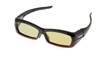  - Samsung 2012 Range -
 |
Samsung UN55ES9000
|
55" |
1920x1080 |
Active 3D: OLED |
HDMI 1.4 3D |
Samsung
IR or Bluetooth active shutter glasses |
|
Samsung UN75ES8000
|
75" |
1920x1080 |
Active 3D: LCD with Local Dimming Edge LED |
HDMI 1.4 3D |
Samsung
IR or Bluetooth active shutter glasses |
|
Samsung UN65ES8000
|
65" |
1920x1080 |
Active 3D: LCD with Local Dimming Edge LED |
HDMI 1.4 3D |
Samsung
IR or Bluetooth active shutter glasses |
|
Samsung UN60ES8000
|
60" |
1920x1080 |
Active 3D: LCD with Local Dimming Edge LED |
HDMI 1.4 3D |
Samsung
IR or Bluetooth active shutter glasses |
|
Samsung UN55ES8000
|
55" |
1920x1080 |
Active 3D: LCD with Local Dimming Edge LED |
HDMI 1.4 3D |
Samsung
IR or Bluetooth active shutter glasses |
usa
|
Samsung UN46ES8000
|
46" |
1920x1080 |
Active 3D: LCD with Local Dimming Edge LED |
HDMI 1.4 3D |
Samsung
IR or Bluetooth active shutter glasses |
usa
|
Samsung UN60ES7500
|
60" |
1920x1080 |
Active 3D: LCD with Local Dimming Edge LED |
HDMI 1.4 3D |
Samsung
IR or Bluetooth active shutter glasses |
|
Samsung UN55ES7500
|
55" |
1920x1080 |
Active 3D: LCD with Local Dimming Edge LED |
HDMI 1.4 3D |
Samsung
IR or Bluetooth active shutter glasses |
usa
|
Samsung UN50ES7500
|
50" |
1920x1080 |
Active 3D: LCD with Local Dimming Edge LED |
HDMI 1.4 3D |
Samsung
IR or Bluetooth active shutter glasses |
|
Samsung UN46ES7500
|
46" |
1920x1080 |
Active 3D: LCD with Local Dimming Edge LED |
HDMI 1.4 3D |
Samsung
IR or Bluetooth active shutter glasses |
usa
|
Samsung UN60ES7100
|
60" |
1920x1080 |
Active 3D: LCD with Local Dimming Edge LED |
HDMI 1.4 3D |
Samsung
IR or Bluetooth active shutter glasses |
|
Samsung UN55ES7100
|
55" |
1920x1080 |
Active 3D: LCD with Local Dimming Edge LED |
HDMI 1.4 3D |
Samsung
IR or Bluetooth active shutter glasses |
|
Samsung UN46ES7100
|
46" |
1920x1080 |
Active 3D: LCD with Local Dimming Edge LED |
HDMI 1.4 3D |
Samsung
IR or Bluetooth active shutter glasses |
|
Samsung UN60ES6600
|
60" |
1920x1080 |
Active 3D: LCD with Local Dimming Edge LED |
HDMI 1.4 3D |
Samsung
IR or Bluetooth active shutter glasses |
|
Samsung UN55ES6600
|
55" |
1920x1080 |
Active 3D: LCD with Local Dimming Edge LED |
HDMI 1.4 3D |
Samsung
IR or Bluetooth active shutter glasses |
|
Samsung UN46ES6600
|
46" |
1920x1080 |
Active 3D: LCD with Local Dimming Edge LED |
HDMI 1.4 3D |
Samsung
IR or Bluetooth active shutter glasses |
|
Samsung UN65ES6500
|
65" |
1920x1080 |
Active 3D: LCD with Edge LED |
HDMI 1.4 3D |
Samsung
IR or Bluetooth active shutter glasses |
|
Samsung UN60ES6500
|
60" |
1920x1080 |
Active 3D: LCD with Edge LED |
HDMI 1.4 3D |
Samsung
IR or Bluetooth active shutter glasses |
usa
|
Samsung UN55ES6500
|
55" |
1920x1080 |
Active 3D: LCD with Edge LED |
HDMI 1.4 3D |
Samsung
IR or Bluetooth active shutter glasses |
usa
|
Samsung UN51ES6500
|
51" |
1920x1080 |
Active 3D: LCD with Edge LED |
HDMI 1.4 3D |
Samsung
IR or Bluetooth active shutter glasses |
usa
|
Samsung UN46ES6500
|
46" |
1920x1080 |
Active 3D: LCD with Edge LED |
HDMI 1.4 3D |
Samsung
IR or Bluetooth active shutter glasses |
usa
|
Samsung UN40ES6500
|
40" |
1920x1080 |
Active 3D: LCD with Edge LED |
HDMI 1.4 3D |
Samsung
IR or Bluetooth active shutter glasses |
usa
|
Samsung UN32ES6500
|
32" |
1920x1080 |
Active 3D: LCD with Edge LED |
HDMI 1.4 3D |
Samsung
IR or Bluetooth active shutter glasses |
|
Samsung PN64E8000
|
64" |
1920x1080 |
Active 3D: Plasma |
HDMI 1.4 3D |
Samsung
IR or Bluetooth active shutter glasses |
|
Samsung PN60E8000
|
60" |
1920x1080 |
Active 3D: Plasma |
HDMI 1.4 3D |
Samsung
IR or Bluetooth active shutter glasses |
|
Samsung PN51E8000
|
51" |
1920x1080 |
Active 3D: Plasma |
HDMI 1.4 3D |
Samsung
IR or Bluetooth active shutter glasses |
|
Samsung PN64E7000
|
64" |
1920x1080 |
Active 3D: Plasma |
HDMI 1.4 3D |
Samsung
IR or Bluetooth active shutter glasses |
|
Samsung PN60E7000
|
60" |
1920x1080 |
Active 3D: Plasma |
HDMI 1.4 3D |
Samsung
IR or Bluetooth active shutter glasses |
|
Samsung PN51E7000
|
51" |
1920x1080 |
Active 3D: Plasma |
HDMI 1.4 3D |
Samsung
IR or Bluetooth active shutter glasses |
|
Samsung PN60E6500
|
60" |
1920x1080 |
Active 3D: Plasma |
HDMI 1.4 3D |
Samsung
IR or Bluetooth active shutter glasses |
|
Samsung PN51E6500
|
51" |
1920x1080 |
Active 3D: Plasma |
HDMI 1.4 3D |
Samsung
IR or Bluetooth active shutter glasses |
usa
|
Samsung PN64E550
|
64" |
1920x1080 |
Active 3D: Plasma |
HDMI 1.4 3D |
Samsung
IR or Bluetooth active shutter glasses |
|
Samsung PN60E550
|
60" |
1920x1080 |
Active 3D: Plasma |
HDMI 1.4 3D |
Samsung
IR or Bluetooth active shutter glasses |
usa
|
Samsung PN51E550
|
51" |
1920x1080 |
Active 3D: Plasma |
HDMI 1.4 3D |
Samsung
IR or Bluetooth active shutter glasses |
usa
|
Samsung PN60E530
|
60" |
1920x1080 |
Active 3D: Plasma |
HDMI 1.4 3D |
Samsung
IR or Bluetooth active shutter glasses |
|
Samsung PN51E530
|
51" |
1920x1080 |
Active 3D: Plasma |
HDMI 1.4 3D |
Samsung
IR or Bluetooth active shutter glasses |
usa
|
Samsung PN51E490
|
51" |
1280x720 |
Active 3D: Plasma |
HDMI 1.4 3D |
Samsung
IR or Bluetooth active shutter glasses |
usa
|
  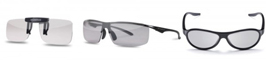 - LG 2012 Range
-
- LG 2012 Range
- |
| LG 55EM9600 |
55" |
2D Res: 1920x1080
3D Res: 1920x540 per eye |
Passive 3D: OLED |
HDMI 1.4 3D |
LG
circularly polarised glasses |
|
| LG 46EM9600 |
46" |
2D Res: 1920x1080
3D Res: 1920x540 per eye |
Passive 3D: OLED |
HDMI 1.4 3D |
LG
circularly polarised glasses |
|
| LG 40EM9600 |
40" |
2D Res: 1920x1080
3D Res: 1920x540 per eye |
Passive 3D: OLED |
HDMI 1.4 3D |
LG
circularly polarised glasses |
|
| LG 37EM9600 |
37" |
2D Res: 1920x1080
3D Res: 1920x540 per eye |
Passive 3D: OLED |
HDMI 1.4 3D |
LG
circularly polarised glasses |
|
| LG 32EM9600 |
32" |
2D Res: 1920x1080
3D Res: 1920x540 per eye |
Passive 3D: OLED |
HDMI 1.4 3D |
LG
circularly polarised glasses |
|
| LG 84LM9600 (4K) |
84" |
2D Res: 3840x2160
3D Res:
3840x1080 per eye |
Passive 3D: LCD with Local Dimming Edge LED |
HDMI 1.4 3D |
LG
circularly polarised glasses |
|
| LG 60LM9600 |
60" |
2D Res: 1920x1080
3D Res:
1920x540 per eye |
Passive 3D: LCD with Local Dimming Full LED |
HDMI 1.4 3D |
LG
circularly polarised glasses |
|
| LG 55LM9600 |
55" |
2D Res: 1920x1080
3D Res:
1920x540 per eye |
Passive 3D: LCD with Local Dimming Full LED |
HDMI 1.4 3D |
LG
circularly polarised glasses |
|
| LG 47LM9600 |
47" |
2D Res: 1920x1080
3D Res:
1920x540 per eye |
Passive 3D: LCD with Local Dimming Full LED |
HDMI 1.4 3D |
LG
circularly polarised glasses |
|
| LG 72LM9500 |
72" |
2D Res: 1920x1080
3D Res: 1920x540 per eye |
Passive 3D: LCD with Local Dimming Edge LED |
HDMI 1.4 3D |
LG
circularly polarised glasses |
|
| LG 55LMG860 |
55" |
2D Res: 1920x1080
3D Res: 1920x540 per eye |
Passive 3D: LCD with Local Dimming Edge LED |
HDMI 1.4 3D |
LG
circularly polarised glasses |
|
| LG 47LMG860 |
47" |
2D Res: 1920x1080
3D Res: 1920x540 per eye |
Passive 3D: LCD with Local Dimming Edge LED |
HDMI 1.4 3D |
LG
circularly polarised glasses |
|
| LG 55LM8600 |
55" |
2D Res: 1920x1080
3D Res: 1920x540 per eye |
Passive 3D: LCD with Local Dimming Edge LED |
HDMI 1.4 3D |
LG
circularly polarised glasses |
|
| LG 47LM8600 |
47" |
2D Res: 1920x1080
3D Res: 1920x540 per eye |
Passive 3D: LCD with Local Dimming Edge LED |
HDMI 1.4 3D |
LG
circularly polarised glasses |
|
| LG 55LM7600 |
55" |
2D Res: 1920x1080
3D Res: 1920x540 per eye |
Passive 3D: LCD with Local Dimming Edge LED |
HDMI 1.4 3D |
LG
circularly polarised glasses |
usa
|
| LG 47LM7600 |
47" |
2D Res: 1920x1080
3D Res:
1920x540 per eye |
Passive 3D: LCD with Local Dimming Edge LED |
HDMI 1.4 3D |
LG
circularly polarised glasses |
usa
|
| LG 55LM6700 |
55" |
2D Res: 1920x1080
3D Res:
1920x540 per eye |
Passive 3D: LCD with Local Dimming Edge LED |
HDMI 1.4 3D |
LG
circularly polarised glasses |
usa
|
| LG 47LM6700 |
47" |
2D Res: 1920x1080
3D Res: 1920x540 per eye |
Passive 3D: LCD with Local Dimming Edge LED |
HDMI 1.4 3D |
LG
circularly polarised glasses |
usa
|
| LG 55G2 |
55" |
2D Res: 1920x1080
3D Res:
1920x540 per eye |
Passive 3D: LCD with Edge LED |
HDMI 1.4 3D |
LG
circularly polarised glasses |
usa
|
| LG 47G2 |
47" |
2D Res: 1920x1080
3D Res:
1920x540 per eye |
Passive 3D: LCD with Edge LED |
HDMI 1.4 3D |
LG
circularly polarised glasses |
usa
|
| LG 65LM6200 |
65" |
2D Res: 1920x1080
3D Res:
1920x540 per eye |
Passive 3D: LCD with Edge LED |
HDMI 1.4 3D |
LG
circularly polarised glasses |
usa
|
| LG 60LM6200 |
60" |
2D Res: 1920x1080
3D Res:
1920x540 per eye |
Passive 3D: LCD with Edge LED |
HDMI 1.4 3D |
LG
circularly polarised glasses |
|
| LG 55LM6200 |
55" |
2D Res: 1920x1080
3D Res:
1920x540 per eye |
Passive 3D: LCD with Edge LED |
HDMI 1.4 3D |
LG
circularly polarised glasses |
usa
|
| LG 47LM6200 |
47" |
2D Res: 1920x1080
3D Res:
1920x540 per eye |
Passive 3D: LCD with Edge LED |
HDMI 1.4 3D |
LG
circularly polarised glasses |
usa
|
| LG 42LM6200 |
42" |
2D Res: 1920x1080
3D Res:
1920x540 per eye |
Passive 3D: LCD with Edge LED |
HDMI 1.4 3D |
LG
circularly polarised glasses |
usa
|
| LG 32LM6200 |
32" |
2D Res: 1920x1080
3D Res:
1920x540 per eye |
Passive 3D: LCD with Edge LED |
HDMI 1.4 3D |
LG
circularly polarised glasses |
|
| LG 55LM5800 |
55" |
2D Res: 1920x1080
3D Res:
1920x540 per eye |
Passive 3D: LCD with Edge LED |
HDMI 1.4 3D |
LG
circularly polarised glasses |
|
| LG 47LM5800 |
47" |
2D Res: 1920x1080
3D Res:
1920x540 per eye |
Passive 3D: LCD with Edge LED |
HDMI 1.4 3D |
LG
circularly polarised glasses |
|
| LG 42LM5800 |
42" |
2D Res: 1920x1080
3D Res:
1920x540 per eye |
Passive 3D: LCD with Edge LED |
HDMI 1.4 3D |
LG
circularly polarised glasses |
|
| LG 60PM9700 |
60" |
1920x1080 |
Active 3D: Plasma |
HDMI 1.4 3D |
LG active
shutter glasses |
|
| LG 50PM9700 |
50" |
1920x1080 |
Active 3D: Plasma |
HDMI 1.4 3D |
LG active
shutter glasses |
usa
|
| LG 60PM6700 |
60" |
1920x1080 |
Active 3D: Plasma |
HDMI 1.4 3D |
LG active
shutter glasses |
usa
|
| LG 50PM6700 |
50" |
1920x1080 |
Active 3D: Plasma |
HDMI 1.4 3D |
LG active
shutter glasses |
usa
|
  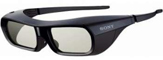 - Sony 2012 Range
-
- Sony 2012 Range
- |
| Sony KDL-55HX850
|
55" |
1920x1080 |
Active 3D: LCD with Local Dimming Edge LED |
HDMI 1.4 3D |
Sony
active shutter glasses |
|
| Sony KDL-46HX850 |
46" |
1920x1080 |
Active 3D: LCD with Local Dimming Edge LED |
HDMI 1.4 3D |
Sony
active shutter glasses |
|
| Sony KDL-55HX750 |
55" |
1920x1080 |
Active 3D: LCD with Local Dimming Edge LED |
HDMI 1.4 3D |
Sony
active shutter glasses |
usa
|
| Sony KDL-46HX750
|
46" |
1920x1080 |
Active 3D: LCD with Local Dimming Edge LED |
HDMI 1.4 3D |
Sony
active shutter glasses |
usa
|
   - Sharp 2012 Range -
 |
Sharp LC-80LE844U
|
80" |
1920x1080 |
Active 3D: LCD with Edge LED |
HDMI 1.4 3D |
Sharp
active shutter glasses |
|
Sharp LC-70LE847U
|
70" |
1920x1080 |
Active 3D: LCD with Edge LED |
HDMI 1.4 3D |
Sharp
active shutter glasses |
|
Sharp LC-60LE847U
|
60" |
1920x1080 |
Active 3D: LCD with Edge LED |
HDMI 1.4 3D |
Sharp
active shutter glasses |
|
Sharp LC-70LE745U
|
70" |
1920x1080 |
Active 3D: LCD with Edge LED |
HDMI 1.4 3D |
Sharp
active shutter glasses |
usa
|
Sharp LC-60LE745U
|
60" |
1920x1080 |
Active 3D: LCD with Edge LED |
HDMI 1.4 3D |
Sharp
active shutter glasses |
usa
|
   - Toshiba 2012 Range -
 |
Toshiba 55L7200
|
55" |
2D Res: 1920x1080
3D Res: 1920x540 |
Passive 3D: LCD with Local Dimming Edge LED |
HDMI 1.4 3D |
RealD
cinema passive polarised 3D glasses |
|
Toshiba 47L7200
|
47" |
2D Res: 1920x1080
3D Res: 1920x540 |
Passive 3D: LCD with Local Dimming Edge LED |
HDMI 1.4 3D |
RealD
cinema passive polarised 3D glasses |
|
Toshiba 55L6200
|
55" |
2D Res: 1920x1080
3D Res: 1920x540 |
Passive 3D: LCD with Edge LED |
HDMI 1.4 3D |
RealD
cinema passive polarised 3D glasses |
usa
|
Toshiba 47L6200
|
47" |
2D Res: 1920x1080
3D Res: 1920x540 |
Passive 3D: LCD with Edge LED |
HDMI 1.4 3D |
RealD cinema passive polarised 3D glassess |
|
   - Vizio 2012 Range -
 |
Vizio XVT3D710CM
|
71" |
2D Res: 1920x1080
3D Res:
1920x540 |
Passive 3D: LCD with Local Dimming Full LED |
HDMI 1.4 3D |
Vizio
passive circular polarised 3D glasses |
|
Vizio XVT3D580CM
|
58" |
2D Res: 1920x1080
3D Res:
1920x540 |
Passive 3D: LCD with Local Dimming Edge LED |
HDMI 1.4 3D |
Vizio
passive circular polarised 3D glasses |
|
Vizio XVT3D500CM
|
50" |
2D Res: 1920x1080
3D Res:
1920x540 |
Passive 3D: LCD with Local Dimming Edge LED |
HDMI 1.4 3D |
Vizio
passive circular polarised 3D glasses |
|
Vizio R3D650VS
|
65" |
2D Res: 1920x1080
3D Res:
1920x540 |
Passive 3D: LCD with Local Dimming Edge LED |
HDMI 1.4 3D |
Vizio
passive circular polarised 3D glasses |
|
Vizio R3D550VS
|
55" |
2D Res: 1920x1080
3D Res:
1920x540 |
Passive 3D: LCD with Local Dimming Edge LED |
HDMI 1.4 3D |
Vizio
passive circular polarised 3D glasses |
|
Vizio R3D470VS
|
47" |
2D Res: 1920x1080
3D Res:
1920x540 |
Passive 3D: LCD with Local Dimming Edge LED |
HDMI 1.4 3D |
Vizio
passive circular polarised 3D glasses |
|
Vizio R3D420VS
|
42" |
2D Res: 1920x1080
3D Res:
1920x540 |
Passive 3D: LCD with Local Dimming Edge LED |
HDMI 1.4 3D |
Vizio
passive circular polarised 3D glasses |
|
Vizio M3D550KD
|
55" |
2D Res: 1920x1080
3D Res:
1920x540 |
Passive 3D: LCD with Local Dimming Edge LED |
HDMI 1.4 3D |
Vizio
passive circular polarised 3D glasses |
|
Vizio M3D470KD
|
47" |
2D Res: 1920x1080
3D Res:
1920x540 |
Passive 3D: LCD with Local Dimming Edge LED |
HDMI 1.4 3D |
Vizio
passive circular polarised 3D glasses |
|
   - Mitsubishi 2012 Range - - Mitsubishi 2012 Range - |
| Mitsubishi L75-A96 |
75" |
2D Res: 1920x1080
3D Res: half Full-HD |
120Hz time-sequential wobulated 3D Laser illuminated DLP |
Checkerboard 3D and
HDMI 1.4a support. |
active shutter glasses |
|
| Mitsubishi WD-92842 |
92" |
2D Res: 1920x1080
3D Res: half Full-HD |
120Hz time-sequential wobulated 3D DLP |
Checkerboard 3D and
HDMI 1.4a support. |
active shutter glasses |
|
| Mitsubishi WD-82842 |
82" |
2D Res: 1920x1080
3D Res: half Full-HD |
120Hz time-sequential wobulated 3D DLP |
Checkerboard 3D and
HDMI 1.4a support. |
active shutter glasses |
|
| Mitsubishi WD-73842 |
73" |
2D Res: 1920x1080
3D Res: half Full-HD |
120Hz time-sequential wobulated 3D DLP |
Checkerboard 3D and
HDMI 1.4a support. |
active shutter glasses |
|
| Mitsubishi WD-92742 |
92" |
2D Res: 1920x1080
3D Res: half Full-HD |
120Hz time-sequential wobulated 3D DLP |
Checkerboard 3D and
HDMI 1.4a support. |
active shutter glasses |
|
| Mitsubishi WD-82742 |
82" |
2D Res: 1920x1080
3D Res: half Full-HD |
120Hz time-sequential wobulated 3D DLP |
Checkerboard 3D and
HDMI 1.4a support. |
active shutter glasses |
|
| Mitsubishi WD-73742 |
73" |
2D Res: 1920x1080
3D Res: half Full-HD |
120Hz time-sequential wobulated 3D DLP |
Checkerboard 3D and
HDMI 1.4a support. |
active shutter glasses |
|
| Mitsubishi WD-82642 |
82" |
2D Res: 1920x1080
3D Res: half Full-HD |
120Hz time-sequential wobulated 3D DLP |
Checkerboard 3D and
HDMI 1.4a support. |
active shutter glasses |
|
| Mitsubishi WD-73642 |
73" |
2D Res: 1920x1080
3D Res: half Full-HD |
120Hz time-sequential wobulated 3D DLP |
Checkerboard 3D and
HDMI 1.4a support. |
active shutter glasses |
|



 The Illustrated 3D Movie List
 3D Gallery
 - Panasonic 2011 Range -
 - Samsung 2011 Range -
 - LG 2011 Range -
 - Sony 2011 Range -
 - Sharp 2011 Range -
 - Toshiba 2011 Range -
 - Vizio 2011 Range -
 - Westinghouse 2011 Range -
 - Philips 2010 Range -